Timpy Cooking Games for Kids
- 4.5
- Rating
- 10.00M
- Installs
- Free
- Price

 Analysis by App-foxy
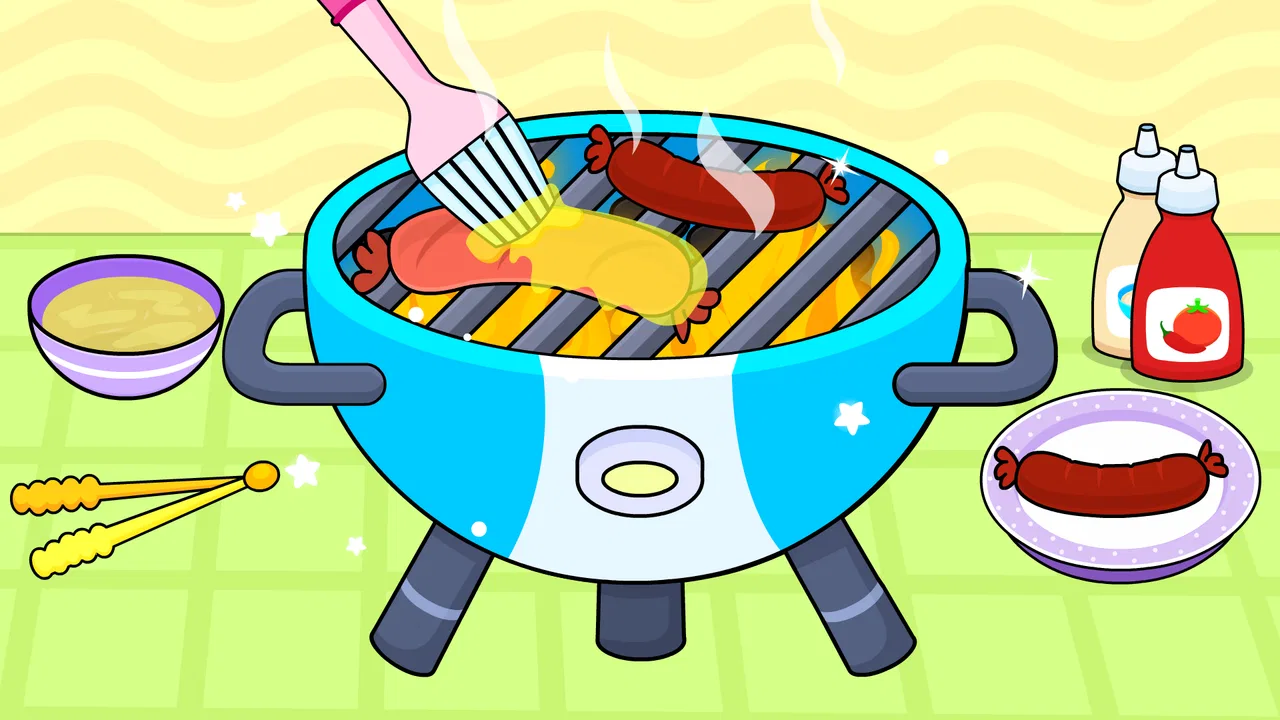
When I look for a cooking game for a young child, I am not mainly asking whether it has the most recipes or the fanciest graphics. I want to know whether a child can understand what to do without constant help, whether the activity feels playful rather than like a lesson, and whether the free version is useful before anyone spends money. Timpy Cooking Games for Kids sits in that particular space: it is an educational game built around making pizza, aimed at toddlers and young children, and designed to turn a familiar food into a simple digital activity.
I spent time judging it as a parent-friendly choice rather than as a serious cooking simulator. That distinction matters. This is not meant to teach kitchen safety, measurements, nutrition, or the full process of preparing a real meal. Its value is in giving a child an approachable sequence of choices and actions while keeping the theme cheerful. It works best as a short, guided play experience, not as a replacement for hands-on cooking or a broad early-learning curriculum.
What I would consider before choosing it
The first decision is age and independence. The game carries an Everyone content rating, which makes it easier to consider for a shared family device, but that label does not tell me exactly how independently every child will manage it. A toddler who is comfortable tapping and dragging may enjoy it quickly, while another child may still need an adult to explain what each screen is asking. I would introduce it beside the child, then watch whether the instructions become intuitive after the first few turns.
You May Also Like

 Blood Strike: 2.5 Anniversary
Blood Strike’s Loadouts Turn Every Drop Into a Tactical Gamble
A close look at Blood Strike’s custom loadouts: how fast access to signature weapons reshapes its battle royale rhythm, rewards preparation, and narrows the gap between fights.

 Pandora - Music & Podcasts
Pandora’s Music Is Easy to Start, but Harder to Recover
Pandora’s strength is its low-effort path from a seed to a station. Its weak spot is how much confidence it asks you to place in connection, setup, and quiet recovery.

 8 Ball Pool
 Is Built on Rivalries, Rematches, and Routine
A close look at the rivalries, rematches, shared routines, and unanswered safety questions that turn a quick pool match into a persistent mobile community.

 Samsung Music
’s Quiet Strength Is Playing What You Already Own
Its reach comes less from spectacle than from dependable access to a personal library. That simplicity is both the app’s strongest retention engine and its ceiling.

 AccuWeather: Weather Radar
AccuWeather Review: A Quick, Clear Forecast for Everyday Decisions
For everyday plans, the best forecast is the one you can understand quickly. AccuWeather makes rain timing, radar, and local conditions easy to act on, with a few trade-offs.

 Hill Climb Racing
Why Hill Climb Racing Still Turns Crashes Into One More Run
A tiny car, a bumpy hill and one more upgrade: Hill Climb Racing keeps resurfacing because its simple chaos makes every near-miss feel personal.
More From Our News Desk



The second decision is the kind of learning you want. The educational element here comes through sequencing, recognition, hand-eye coordination, and pretend play. A child can engage with the idea of preparing a pizza and make choices along the way. If your priority is letter sounds, counting practice, spelling, or structured puzzles, a dedicated early-learning app will probably be a better match. If your child learns more willingly when the activity is wrapped in cooking and imagination, this game has a clearer reason to exist.
I also consider how long a child is likely to play before losing interest. Food-making games can be immediately understandable because the subject is familiar, but repetition can become noticeable once the novelty fades. I would use it as one option in a small rotation rather than leaving it as the only game on a tablet. That approach also makes the pizza theme feel like a treat instead of background noise.
There is a practical reason to test the free experience before making a decision. The game is free to install, while its in-app purchases range from $4.49 to $4.99 per item. I would let the child try the available activity first and decide whether the interaction itself holds attention. A purchase makes more sense when the child returns to the game voluntarily, not simply because an adult is trying to fill time.
Device compatibility is another small but important checkpoint. The current version is 6.7.1 and requires Android 6.0 or later. That covers many older Android devices, although I would still check the particular tablet before planning to use it during travel or in a child-care setting. On iOS or Android, the more important question is often how comfortably a small child can hold the device and tap the controls, rather than raw technical performance.
How the pizza theme shapes the experience
Pizza is a smart subject for this age group because children usually recognize the finished food even if they have never cooked one. That gives the game an immediate visual goal. Instead of asking a child to understand an abstract puzzle, it places the activity inside a pretend kitchen context. I found that this kind of familiar framing can make a hesitant child more willing to try the next action.
The theme also gives parents an easy bridge into offline conversation. After a session, I can ask which topping the child chose, what color or shape they noticed, or what we would need to make a real pizza. Those questions extend the play without pretending the app has taught practical cooking skills. The strongest learning opportunity may happen after the screen is put away, when the child connects the digital sequence with food at home.
There is a useful trade-off here. The narrow theme keeps the game easy to understand, but it also limits the range of play compared with a larger pretend-play kitchen. If your child wants to switch between baking, serving, shopping, and running a restaurant, a broader cooking game may offer more variety. This one is more focused, which is helpful for a first cooking activity but less satisfying for a child who wants a complete virtual kitchen.
Where this game wins for young players
My favorite strength is its low barrier to entry. A child does not need to read a long explanation about ingredients or know how a recipe works before beginning. The pizza concept supplies a simple mental model: prepare something, make choices, and enjoy the result. For a preschooler who becomes frustrated by rules-heavy games, that simplicity can be more valuable than a larger feature list.
It is also a good candidate for short supervised sessions. Imagine a child waiting while dinner is prepared. I could hand over the tablet for a brief pizza-making activity, sit nearby, and then use the game as a conversation starter about the meal we are actually cooking. That is a more realistic use than expecting it to occupy a child for an entire afternoon. Its role is closer to a calm, themed activity between routines.
The game can also help a child practice making small choices without the pressure of getting a real recipe wrong. Choosing between visual options, following a sequence, and completing a familiar food activity may support confidence with touch controls. I would not describe that as formal skill training, but it is a genuine advantage for a child learning how interactive screens respond to gestures and taps.
Another benefit is that the developer, Timpy Games For Kids, Toddlers & Baby, clearly focuses on experiences for very young users. That focus makes the title easier to place in a family app collection than a general cooking game designed for older players. The game has reached over 10 million installs and holds a 4.3 average from around 18 thousand ratings, so it is not an obscure experiment that only a handful of families have tried.
Those figures do not guarantee that your child will enjoy it, but they do give me confidence that the basic idea has broad appeal. I still pay more attention to the child’s response than to popularity. Some children love repeating a familiar food activity; others need new goals, characters, or challenges almost immediately.
Three ways I would get more from it
My first tip is to use it as a vocabulary prompt rather than silently handing over the device. I would name the actions and ingredients the child sees, then pause before tapping to let the child describe what might happen next. This turns a quick game into a small language exercise without forcing a lesson into every moment.
My second tip is to compare the digital sequence with a safe real-world task. A child might spread sauce with a spoon, sprinkle a prepared topping, or help choose vegetables while an adult handles heat and sharp tools. The app can introduce the idea of a process, while the kitchen supplies texture, smell, and responsibility. I would keep the real activity age-appropriate and never treat the game as evidence that a child is ready to cook alone.
My third tip is to make the game part of a predictable transition. It could work after preschool, before a meal, or while an adult finishes a simple household task. Giving it a defined place prevents endless tapping and makes it easier to stop. In my experience, a clear beginning and ending is especially useful with toddler-focused games, even when the child is enjoying the activity.
A fourth, less obvious use is observing the kind of help the child asks for. If the child cannot tell what to do next, I would avoid taking over immediately. Instead, I would ask the child to look for the item that matches the current step or explain what changed on screen. That turns moments of confusion into guided problem-solving. If the same point causes frustration repeatedly, I would treat that as a sign to shorten the session, not as a reason to push harder.
Where another type of app may fit better
I would choose a structured educational app over this game when my main goal is measurable practice. Early literacy, number recognition, phonics, or memory exercises usually need clearer progression and repeated skill-focused challenges. A pizza activity can support attention and sequencing in a loose way, but it should not be the only educational screen time for a child who needs targeted practice.
I would also look elsewhere for a realistic cooking simulation. Older children may want ingredient quantities, timing, kitchen tools, recipe planning, or consequences for mistakes. This title is better suited to imaginative preparation than to learning how a real recipe behaves. A family that wants to teach practical cooking would gain more from making a simple snack together, with an adult supervising every safety-sensitive step.
For children who dislike repetition, a broader pretend-play game may be the better purchase. A larger virtual kitchen can provide more settings and roles, while a restaurant-management game may add serving customers or organizing orders. I would not switch simply because those alternatives sound more advanced, though. More systems can also mean more menus, more instructions, and more opportunities for a young child to need help.
There is a similar choice between this game and open-ended creative apps. Drawing or building apps may offer more freedom for a child who wants to invent rather than follow a food-themed sequence. Timpy Cooking Games for Kids has a clearer path, which can be comforting for beginners but restrictive for children who already know how to navigate creative software.
Free access, purchases, and the cost of switching
Because the game is free, trying it is relatively simple. I would begin by checking whether the child understands the controls, enjoys the pizza theme, and returns to the activity without being prompted. That test answers more than a short description can. If the child loses interest after one session, switching to another educational game costs little besides a small amount of setup time.
The decision changes if a child becomes attached to the game and asks for more content. Individual purchases between $4.49 and $4.99 are not automatically unreasonable, but I would make the choice with the child’s actual play habits in mind. Does the game lead to creative conversation and repeated, calm use, or is the child simply tapping through the same actions because the tablet is available? I prefer paying for a focused activity that fits our routine rather than buying every optional item impulsively.
It is also worth considering the cost of switching in terms of familiarity. A young child may need time to learn a new app’s controls, icons, and rhythm. Staying with this game can be worthwhile when the child already understands it and uses that confidence to talk, choose, and complete activities independently. On the other hand, if the child needs constant adult intervention, moving to a simpler app may save more time than trying to coach through a poor fit.
I would set expectations before any purchase. The game is free, but that does not mean every possible activity is included without charge. I would handle the store controls myself, explain that some parts may require an adult decision, and avoid letting a child explore purchase screens alone. That is ordinary tablet housekeeping, but it matters more with a game aimed at toddlers.
Everyday use: a realistic family routine
Here is how I would use it on a normal weekday. After coming home, a child might have a few quiet minutes while I prepare a snack. I would open the pizza activity, sit close enough to answer questions, and encourage the child to describe the next step instead of rushing through it. Once the snack is ready, we would stop the game and compare the pretend choices with the food on the table.
That routine keeps the screen connected to a real experience. It also gives me a natural stopping point, which is easier than ending an unexplained session in the middle of play. If the child is tired or already overstimulated, I would skip the game rather than assume a colorful cooking activity will automatically calm things down.
For travel, I would treat it as a backup activity rather than the entire entertainment plan. The familiar theme may be useful during a wait, but I would bring non-screen alternatives as well. A child who wants constant novelty may exhaust the game quickly, while a child who enjoys repetition may happily return to it. The important point is that the title is flexible enough for a short moment, but I would not judge it by whether it provides a full day of entertainment.
Who should install it, and who should skip it
I would recommend trying it for parents of toddlers and preschool-age children who want a gentle, food-themed game with an educational angle. It is especially suitable when the child enjoys pretend cooking, needs a simple introduction to touch-based play, or responds well to familiar activities with a clear sequence. The Everyone rating and free entry make it an easy candidate for a supervised trial.
I would be more cautious if the child is already reading independently and expects complex challenges. The same simplicity that helps a toddler begin may make the game feel limited to an older child. I would also skip it if the family’s goal is serious cooking instruction, detailed nutrition education, or a broad academic curriculum. A real kitchen activity or a specialized learning app would serve those needs better.
Parents who dislike in-app purchases should decide in advance whether they are comfortable with optional spending, even though the initial download is free. Parents who want a completely open-ended experience may prefer a creative app. Finally, if the child becomes frustrated by guided steps or loses interest in food themes, there is no reason to force a match simply because the game is popular.
My recommendation after weighing the trade-offs
Timpy Cooking Games for Kids is a sensible first try for a young child who likes pizza and enjoys simple pretend-play activities. I see its strongest value in the combination of a familiar theme, an approachable format, and opportunities for parents to extend the experience through conversation and safe real-world cooking. The game is most successful when I use it intentionally for short sessions rather than expecting it to provide deep educational progression.
Its limitations are equally clear: the focused theme may not hold every child’s attention, the learning is informal rather than curriculum-based, and optional purchases deserve adult control. Those are not deal-breakers for me, but they define the right audience. I would install the free version, observe the child’s response over several brief sessions, and only then consider paying for additional content.
With a 4.3 average and more than 10 million installs, it has enough user interest to justify a trial, while the free price keeps that trial accessible. The current version, 6.7.1, supports a straightforward decision for Android users whose device runs Android 6.0 or later. My clear recommendation is to choose it as a supervised, occasional educational game for toddlers and young children—not as a complete cooking lesson or a substitute for more focused learning tools.
In my view, that honest positioning is what makes the game worthwhile. Let it introduce the idea of preparing food, use it to encourage language and choices, and then connect the screen to safe activities away from the tablet. Used that way, it can earn a place in a child’s rotation without needing to be everything at once.
FAQs for Timpy Cooking Games for Kids
01What age group is Timpy Cooking Games for Kids suitable for?
Timpy Cooking Games for Kids is designed specifically for children aged 3 to 8 years old. The app provides an engaging and safe environment for young kids to explore their culinary creativity while learning basic cooking concepts through interactive gameplay. Parental guidance is recommended to enhance the experience.
02Are there any in-app purchases or ads in Timpy Cooking Games for Kids?
Timpy Cooking Games for Kids offers a free version with limited features and non-intrusive ads. However, parents can opt for in-app purchases to unlock additional content and remove ads. This ensures a more seamless and uninterrupted experience for children as they play and learn.
03Is an internet connection required to play Timpy Cooking Games for Kids?
Timpy Cooking Games for Kids can be played offline, making it convenient for travel or areas with limited internet access. However, an internet connection is necessary for downloading updates, accessing new content, and making in-app purchases if desired. Offline play ensures uninterrupted enjoyment for children.
04How does Timpy Cooking Games for Kids ensure the safety and privacy of children?
The app adheres to strict privacy policies to protect children’s data. It does not collect personal information and requires parental consent for any in-app purchases. The environment is designed to be child-friendly, with no external links or social media integrations, ensuring a safe play zone.
05What educational benefits does Timpy Cooking Games for Kids offer?
Timpy Cooking Games for Kids promotes cognitive development through interactive cooking activities. Children learn about food preparation, ingredients, and kitchen safety. The app also enhances fine motor skills, encourages creativity, and introduces basic math concepts such as counting and measuring, all within a fun, engaging framework.
Pros
- Engaging graphics and animations.
- Child-friendly interface
- easy to navigate.
- Educational elements enhance learning.
- Variety of recipes keeps interest high.
- No ads
- ensuring safe play.
Cons
- Limited free content available.
- Requires internet for some features.
- In-app purchases can be costly.
- May not suit older children.
- Lacks parental control options.

Timpy Cooking Games for Kids
Gallery